
Free · Open source · Android 8.0+
Watching the markets,
never the user.
A crypto watchlist for Android with live prices, charts and home-screen widgets.
Your phone talks to the exchanges directly. There is no backend, no account, and nothing is collected.
3.70 MiB·v1.2.1·GPL-3.0-or-later
- No account
- nothing to sign up for
- No ads
- and no trackers
- No backend
- no server of ours
- 781
- unit tests
- 5 refresh options
- for home-screen widgets
Watchlists
Up to 25 lists, 120 pairs each
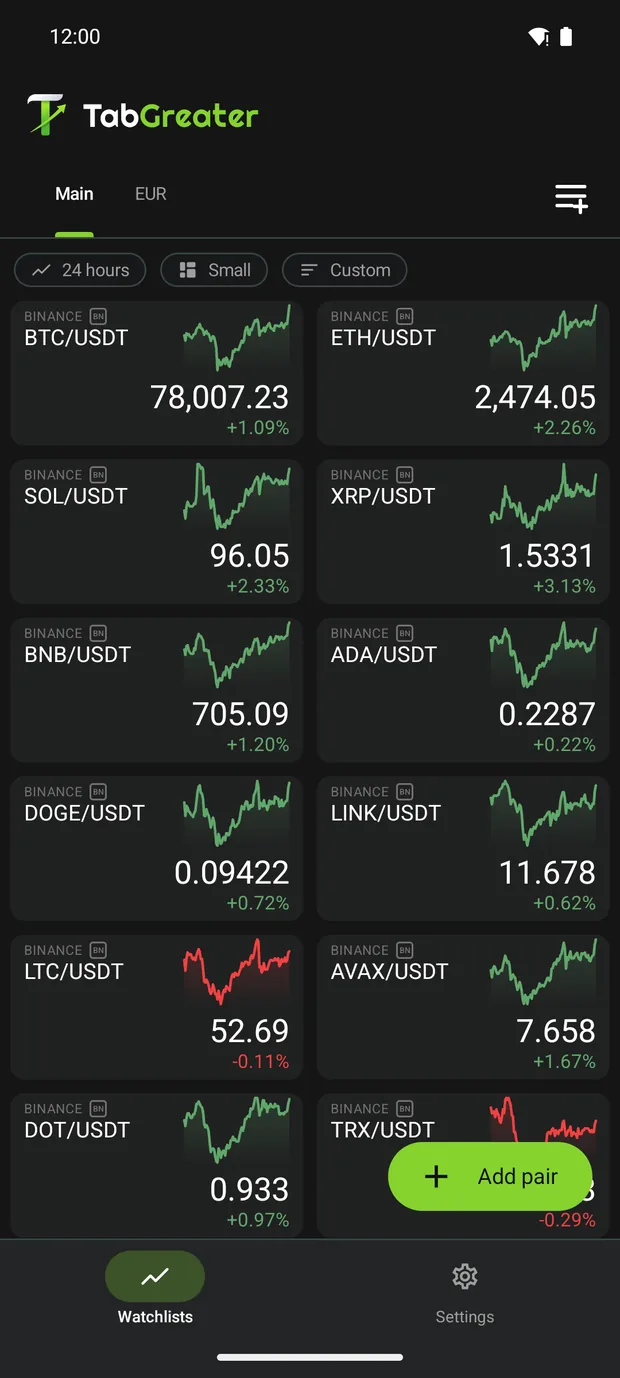
Create up to 25 named watchlists with 120 pairs each. Choose from four tile sizes, arranged two per row or at full width, with a sparkline on each tile. Drag tiles to reorder them, add a coloured stripe, and export your watchlists as a JSON file to import on another phone.
Long runs of zeros in small prices are shortened: 0.0471501 is 0.000071501.
Charts
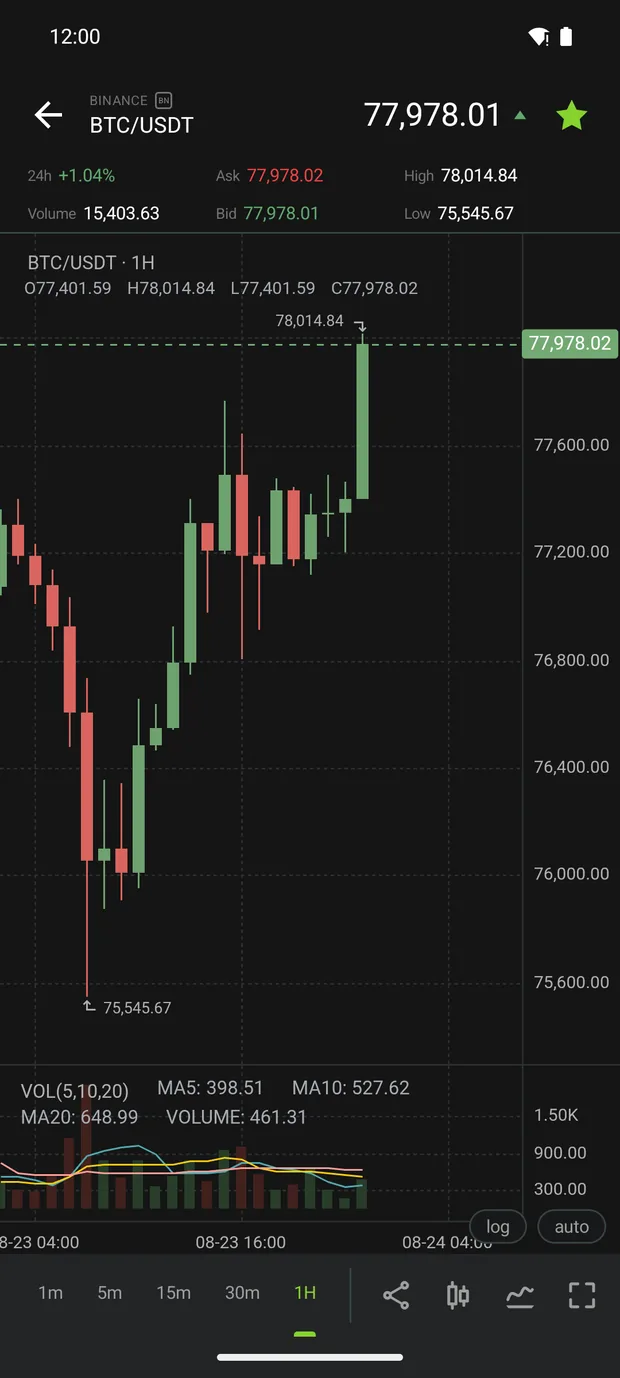
Charts with eleven indicators and thirty drawing tools
Choose candlestick, hollow candlestick, OHLC bar or area charts, with nine timeframes from one minute to one month. Use logarithmic or automatic scaling, view charts in full screen, or share them as PNG images.
Tap the pencil icon to choose from thirty drawing tools: trend lines, rays, channels, Fibonacci tools, a Gann box, shapes, a brush, wave patterns, text and tags. Magnet snapping aligns drawings with candle prices. Drawings are saved for each market and remain in place when you change timeframes or restart the app.
- MA
- EMA
- BOLL
- SAR
- VOL
- MACD
- RSI
- KDJ
- CCI
- DMI
- OBV
Volume is the only indicator shown by default; you can enable the others.
Home-screen widgets
Widgets that refresh on your schedule
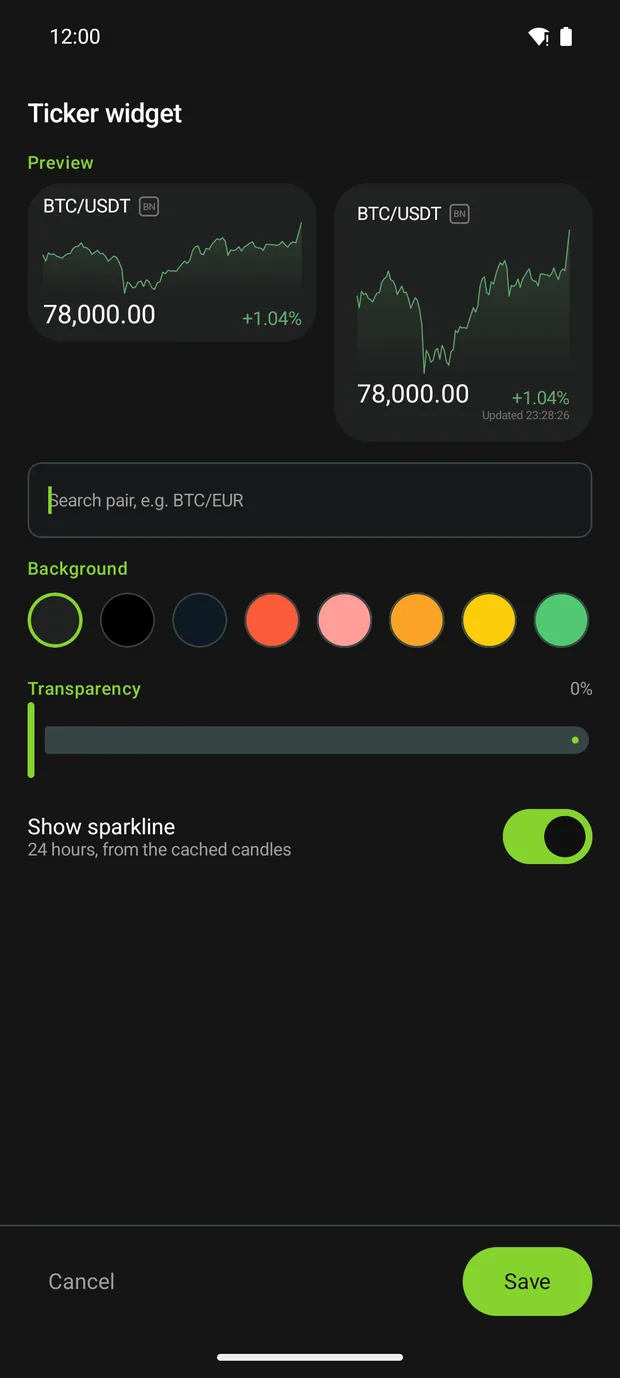
Each widget shows one pair. It starts at 2×1 and can be resized to 4×2 or larger, keeping the same layout. Set widget refresh to Live or an interval of up to fifteen minutes. Choose from eleven background colours, adjust the transparency, and tap a widget to open that pair's chart.
Choose a refresh rate that suits your phone
The default is every five minutes. Battery use depends on the refresh interval, device and network conditions; there is no single daily percentage for every phone.
What leaves your device
Your phone talks to the exchanges directly
TabGreater has no backend of its own. Your phone requests market data directly from the exchanges, which means they see your IP address and the pairs you watch, under their own terms. The table below lists the app's network destinations and the links you can open in your browser.
| Host | Why |
|---|---|
| data-api.binance.vision | Market list, prices and candles |
| api.gateio.ws | Market list, prices and candles, plus its live stream while the app is open |
| api.kraken.com | Market list, prices and candles |
| api.kucoin.com | Market list, prices and candles, plus a WebSocket address provided when connecting |
| api.mexc.com | Market list, prices and candles — MEXC has no public ticker socket, so it is polled |
| wss://data-stream.binance.vision | Live stream while the app is open |
| wss://ws.kraken.com | Live stream while the app is open |
| api.coingecko.com | The popular-pairs list, at most once a day |
| tabgreater.com | Only when you tap Website in Settings, which opens it in your browser |
| github.com · ko-fi.com | Only when you tap those two links |
No API keys
The app never asks for them and cannot place an order.
No notification permission requested
Android still requires a foreground-service notice for widget updates. Its visibility depends on your Android version.
Your data stays on the device
Watchlists and settings stay on your device. You can export watchlists to a file you control.
Spot markets from five exchanges
- BN Binance
- GT Gate.io
- KR Kraken
- KC KuCoin
- MX MEXC
Tokenised stocks, as the exchanges list them
"+ Add pair" and the widget setup both have a Crypto | Stocks switch. Crypto is selected by default and lists coins only. Select Stocks and search by a share's ticker to find stock tokens listed as spot pairs, including on Kraken. Popular tickers are ranked on your device by the number of supported exchanges that list them, without extra network requests. You can view stock tokens in tiles, charts and widgets just like other pairs.
These are tokens trading on crypto exchanges, not stock-exchange quotes. Their prices can differ from the share price and from one exchange to the next. Some exchanges trade them around the clock; others do so only on weekdays. Coverage is mostly US large caps and ETFs.
Choose how to install
Available on Google Play and F-Droid, or as a signed APK from GitHub Releases. Requires Android 8.0 or newer. GitHub release notes include the APK and signing-certificate SHA-256 hashes so you can verify the FOSS download.
Verify the FOSS APK
$ sha256sum TabGreater-1.2.1-foss.apk
062bad0d423d473a07796d261088312a8b4af83d1fc9d8b308c024965eeadc1c